A native sound library browser and toolkit for theatre and show sound. Search every library you own, audition and shape on the spot, and drag the finished file straight into QLab — or anywhere else.
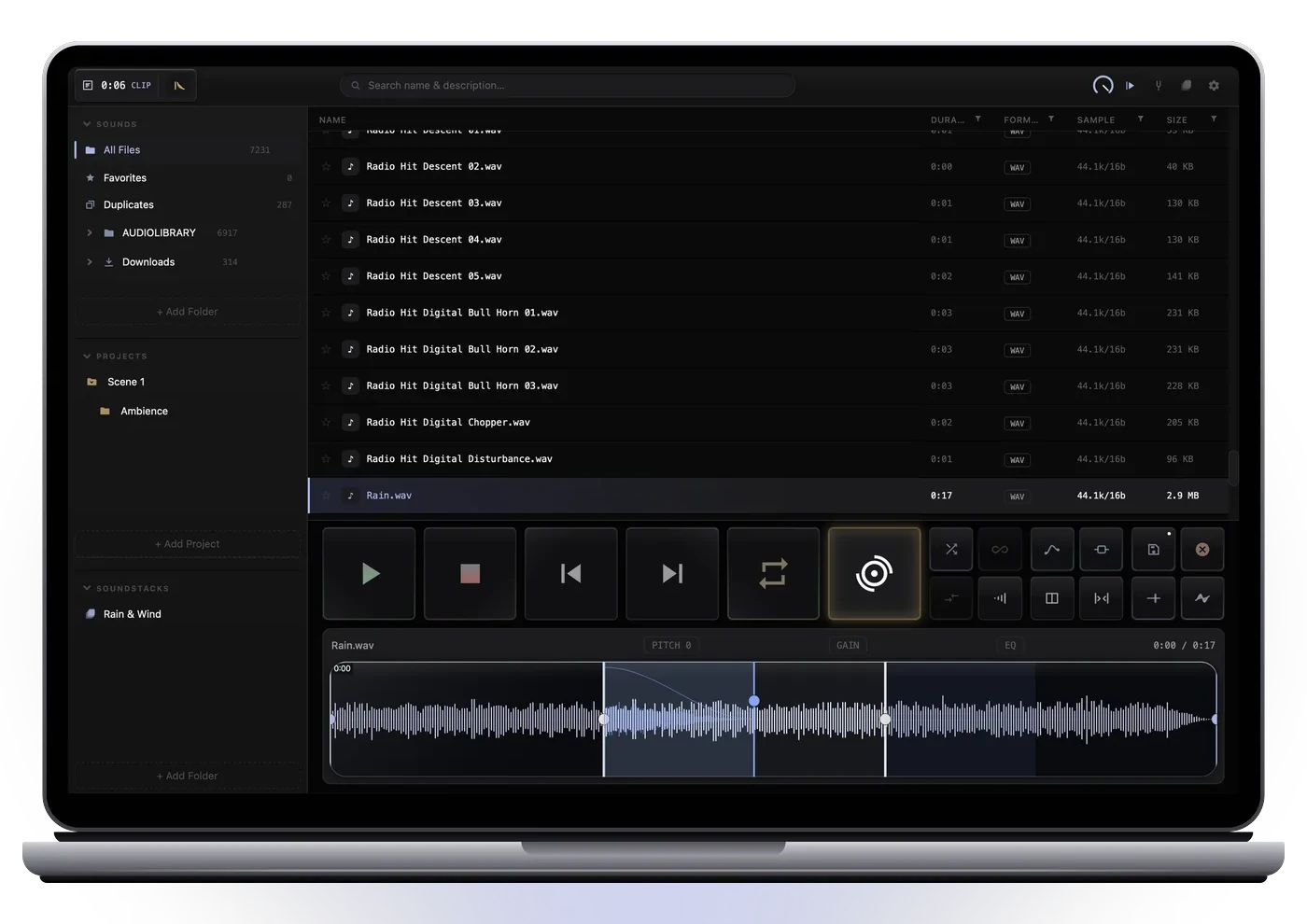
Scales from a compact corner window next to QLab to fullscreen.
Built by a working theatre sound designer for the part of the job that happens between the library and the cue list.
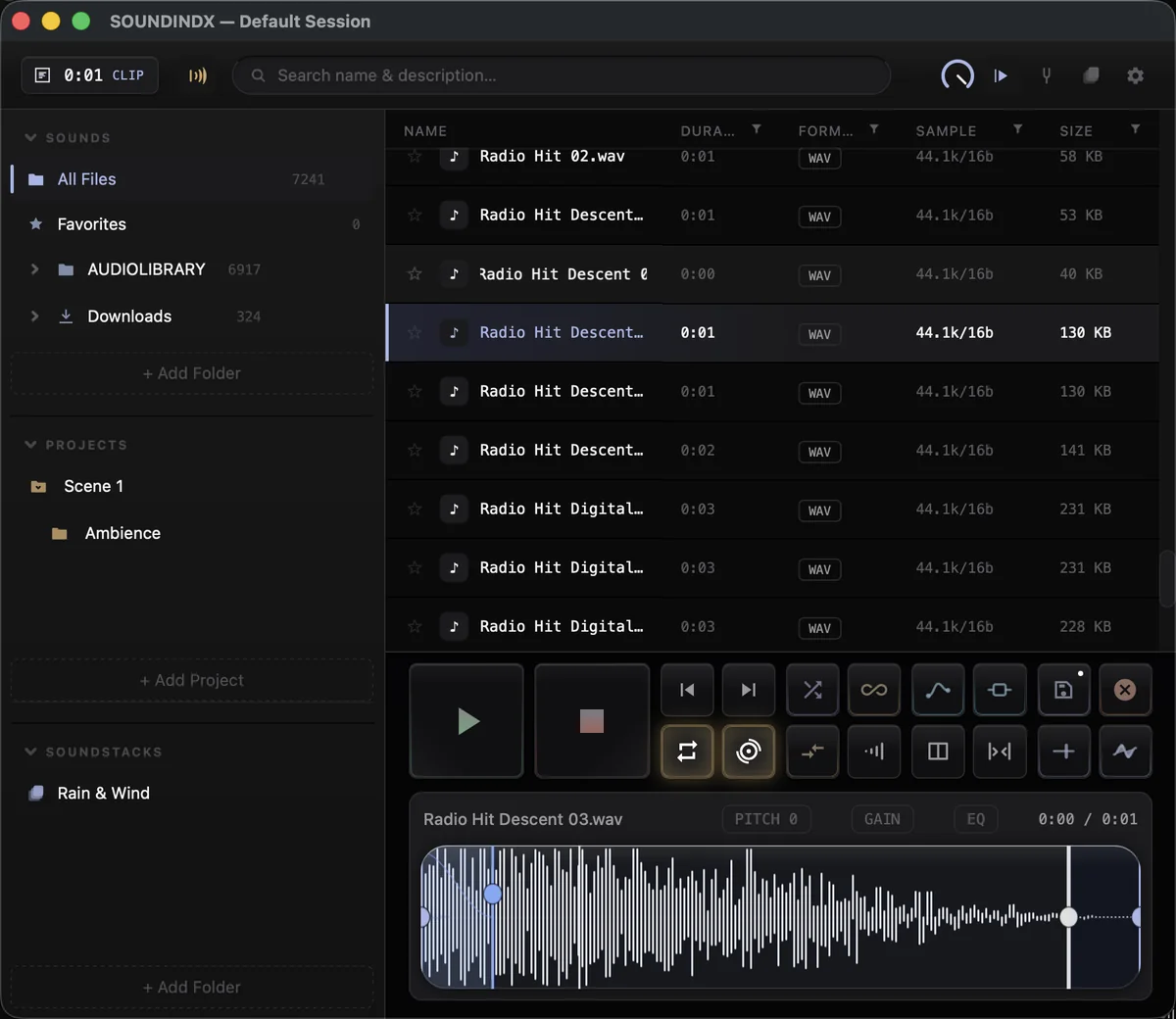
Select a region, press Loop Match, and the seam is built from real audio borrowed from just outside the selection — never synthesis, never a crossfade guess. The preview plays exactly what the export will be, and the exported file loops cleanly wherever you drop it — QLab, Logic Pro, Ableton Live, or straight into the Finder.
Drag the blue seam handle to taste. The loop length stays exactly what you selected.
The finished clip lives in a small card in your Mac's menu bar, with a live level meter. Drag it into QLab, Finder or your DAW without ever bringing SOUNDINDX to the front. Trims, fades, pitch, EQ, FX chain and the Loop Match seam are all baked in.
Drag the result to QLab — or anywhere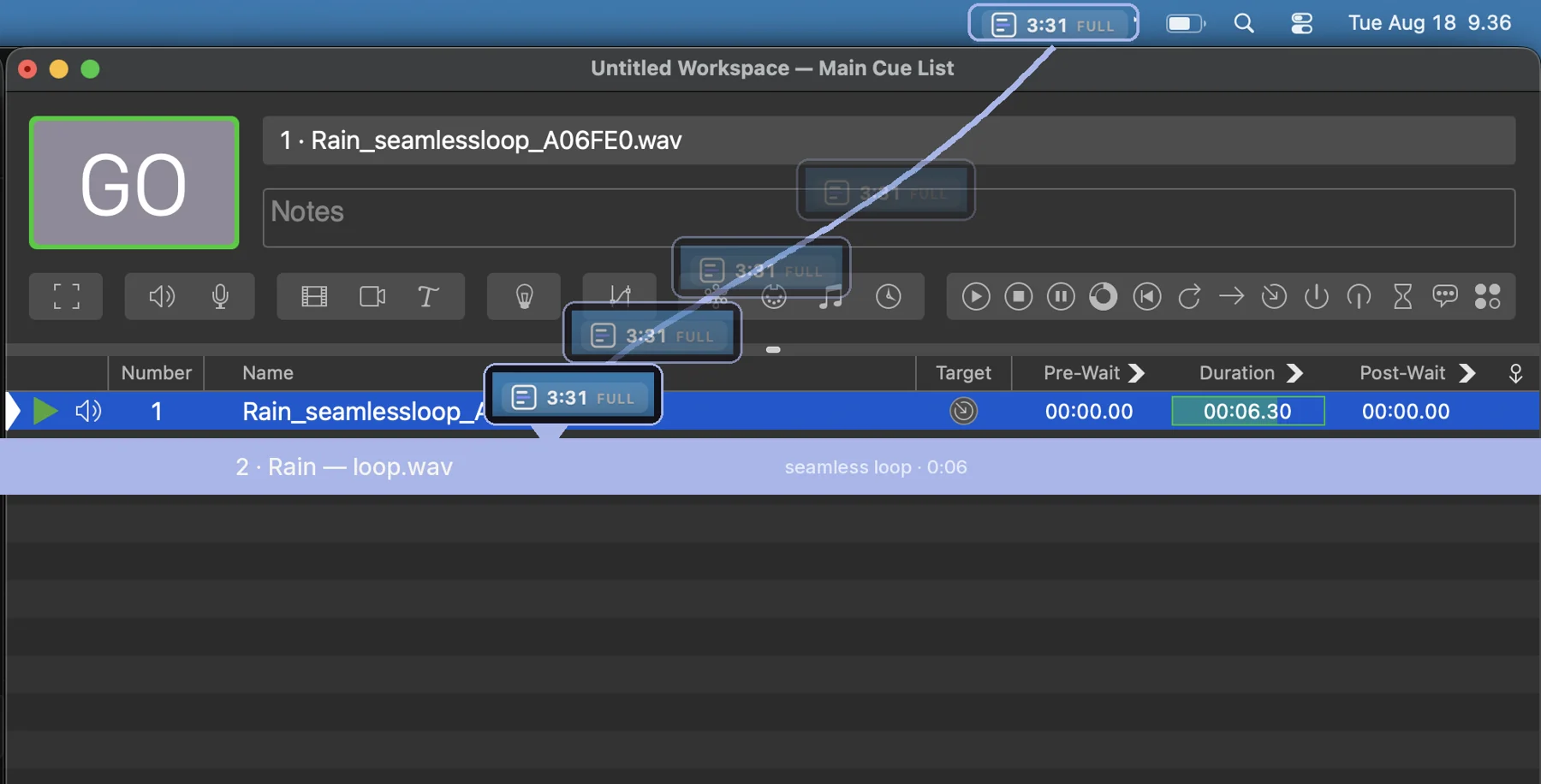
Nothing is moved or renamed. Your folders stay your folders; SOUNDINDX indexes them and keeps the index in sync with Finder.
Add folders and search names and embedded descriptions as you type. Filter by format, length, sample rate or size from the column headers. Built to stay fast past a million files.
One click plays. Trim handles crop the take, selection handles mark the usable part, zero-crossing snap keeps edits clean. Every transport move is click-free.
Listen through the mic, the Mac's own output or a reference file, detect the key, and pitch the loaded sound to sit with the music on stage — one button.
Insert your own plugins with automation curves. Exports render the chain offline, with the FX tail included if you want it. Plugins that pass our test protocol are marked Verified.
Semitone-accurate pitch shift, clip-safe gain with suggestions, three-band EQ, fade curves, counted vamps and reverse playback — non-destructive until you export.
Collect candidates per production, save sessions per show, star the keepers, find duplicates across libraries. A crash restores the session.
Right-click any control to learn a MIDI message from your controller. Preview, tools and transport from the desk, eyes on the stage.
Sales open shortly — leave your email and you'll be first to know.
One payment. Every tool in the app is included — no tiers, no unlocks, ever.
One license activates up to three of your own machines. Move a seat from Settings any time.
Activation needs the network once. After that SOUNDINDX runs fully offline — a dropped connection never stops a rehearsal.
No telemetry, no analytics, no cloud. Payment and VAT are handled by Lemon Squeezy as merchant of record.
No — and that's deliberate. SOUNDINDX is where you find, shape and export the sound. Playback belongs to your show system: drag the finished file into QLab, Ableton Live or whatever runs your show.
The trial is fully functional for 14 days. When it ends the app locks until a license key is entered — your files, sessions and projects stay untouched on disk.
WAV, AIFF, FLAC, MP3, M4A/AAC, OGG and CAF. Descriptions embedded in files (BWF, ID3) are indexed and searchable.
Any Audio Unit can be inserted. Plugins that have passed SOUNDINDX's test protocol — Apple's built-in Audio Units and a growing list of third-party plugins — are marked Verified in the app and are the ones we support. Others usually work but are outside support.
Yes. The card lives in the macOS menu bar, which stays reachable above a fullscreen QLab workspace. Press the card, the clip renders, and the drag starts as soon as the file is ready — drop it on the cue list and QLab creates the audio cue. The same drag works into Finder, Logic, Live or any app that accepts audio files.
One key, up to three Macs at the same time. Settings › License shows how many are in use and has a Deactivate this Mac button, so moving to a new machine takes a minute. Activation needs the network once; after that the app works offline.
No. SOUNDINDX is signed with an Apple Developer ID and notarized by Apple, so it opens like any App Store app — no right-click-to-open, no security prompts.
Where they already are. SOUNDINDX indexes folders in place — nothing is copied, moved or uploaded. The index is a local database; there is no cloud and no account.
An Apple silicon Mac (M1 or later) running macOS 13 Ventura or newer. The app is notarized by Apple.
99 € is the launch price and stays until 31 October 2026. From 1 November SOUNDINDX costs 129 €. A license bought at the launch price is the same full license — nothing is missing and updates to this version stay free.
If something doesn't work, email riku@rmksound.net first — most problems can be fixed. Refunds are handled through Lemon Squeezy.